Windows Imaging Component |
| It allows processing images in different formats, including: BMP, JPG, GIF, PNG, and TIFF. Esta permite procesar imágenes en distintos formatos, incluyendo: BMP, JPG, GIF, PNG y TIFF. |
| Problem 1 |
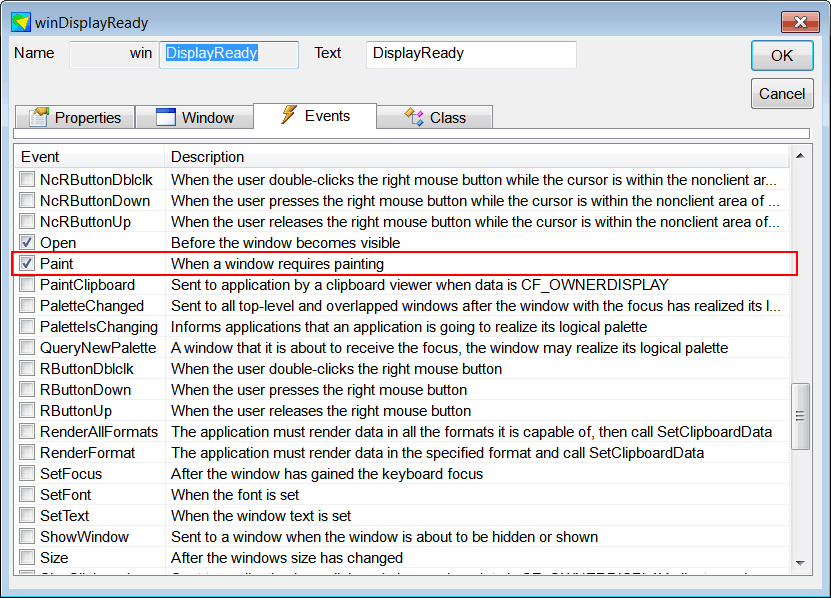
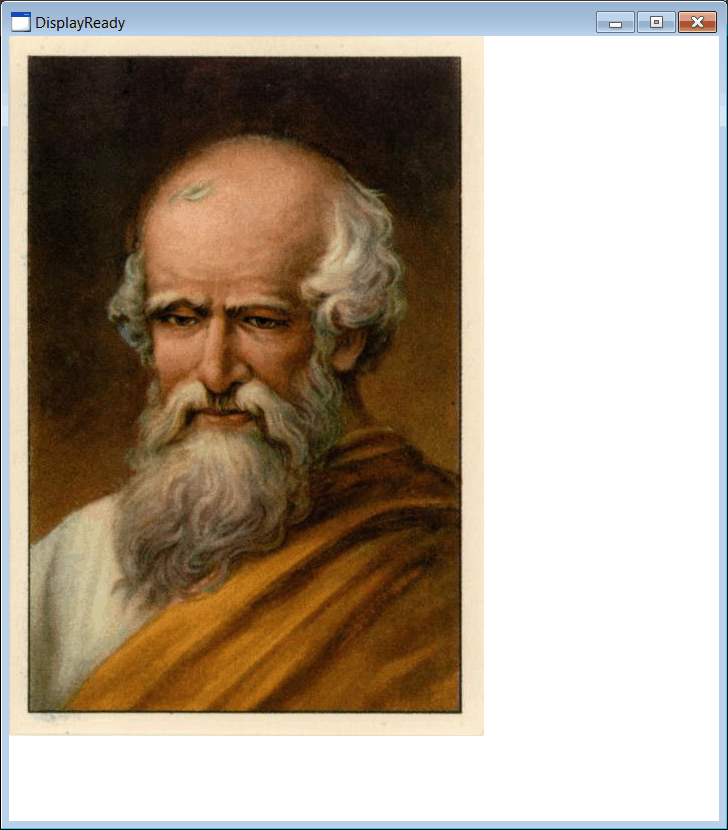
| Cree a Wintempla Window applicaction called DisplayReady to test Windows Imaging Component. For this exercise you need a JPG file (place the file where the source, *.cpp, files are). After creating the project, open Wintempla, double click anywhere in the editor and check the Paint event in the event tab. Cree una aplicación de Ventana usando Wintempla llamada DisplayReady. Para este ejercicio usted necesita una imagen de JPG (coloque el archivo donde los archivos fuente, *.cpp, se encuentran.) Después de crear el proyecto, abra Wintempla, haga clic doble en donde en el editor y marque el evento de Paint en la pestaña de Eventos. |
| Step A |
| Add at the end of the stdafx.h file the following code. Agregue al final del archivo stdafx.h el código siguiente. |
| stdafx.h |
| . . . //______________________________________________________________ Windows Imaging Component #include <wincodec.h> #include <WTypes.h> #pragma comment (lib, "Windowscodecs.lib") _COM_SMARTPTR_TYPEDEF(IWICImagingFactory, IID_IWICImagingFactory); _COM_SMARTPTR_TYPEDEF(IWICBitmapDecoder, __uuidof(IWICBitmapDecoder)); _COM_SMARTPTR_TYPEDEF(IWICBitmapFrameDecode, __uuidof(IWICBitmapFrameDecode)); _COM_SMARTPTR_TYPEDEF(IWICFormatConverter, __uuidof(IWICFormatConverter)); _COM_SMARTPTR_TYPEDEF(IWICBitmapFrameDecode, __uuidof(IWICBitmapFrameDecode)); |
| Step B |
| Edit the files DisplayReady.h and DisplayReady.cpp as shown. Edite los archivos DisplayReady.h y DisplayReady.cpp como se muestra. |
| DisplayReady.h |
| #pragma once //______________________________________ DisplayReady.h #include "Resource.h" class DisplayReady: public Win::Window { public: DisplayReady() { ::CoInitialize(NULL); } ~DisplayReady() { ::CoUninitialize(); } CG::DIBitmap bitmap; wstring error; const wchar_t* Open(const wchar_t* filename); . . . }; |
| DisplayReady.cpp |
| . . . void DisplayReady::Window_Open(Win::Event& e) { const wchar_t* errorDesc = Open(L"arquimedes.jpg"); if (errorDesc != nullptr) this->MessageBox(errorDesc, L"DisplayReady", MB_OK | MB_ICONERROR); } void DisplayReady::Window_Paint(Win::Event& e) { CG::Gdi gdi(hWnd, true, false); gdi.DrawBitmap(bitmap, 0, 0); } const wchar_t* DisplayReady::Open(const wchar_t* filename) { IWICImagingFactoryPtr imagingFactory; IWICBitmapDecoderPtr bitmapDecoder; IWICFormatConverterPtr formatConverter; IWICBitmapFrameDecodePtr bitmapFrameDecode; unsigned int image_width = 0; unsigned int image_height = 0; //_____________________________________________________________________ 1. imagingFactory.CreateInstance if (HR_FAIL(imagingFactory.CreateInstance(CLSID_WICImagingFactory, (IUnknown*)&imagingFactory, CLSCTX_INPROC_SERVER), error)) return error.c_str(); if (imagingFactory == nullptr) return L"null pointer imagingFactory"; //_____________________________________________________________________ 2. imagingFactory->CreateFormatConverter if (HR_FAIL(imagingFactory->CreateFormatConverter(&formatConverter), error)) return error.c_str(); //_____________________________________________________________________ 3. imagingFactory.CreateDecoderFromFilename if (HR_FAIL(imagingFactory->CreateDecoderFromFilename(filename, NULL, GENERIC_READ, WICDecodeMetadataCacheOnLoad, &bitmapDecoder), error)) return error.c_str(); //_____________________________________________________________________ 4. bitmapDecoder->GetFrame if (HR_FAIL(bitmapDecoder->GetFrame(0, &bitmapFrameDecode), error)) return error.c_str(); //_____________________________________________________________________ 5. formatConverter->Initialize if (HR_FAIL(formatConverter->Initialize(bitmapFrameDecode, GUID_WICPixelFormat24bppBGR, WICBitmapDitherTypeNone, NULL, 0, WICBitmapPaletteTypeCustom), error)) return error.c_str(); //_____________________________________________________________________ 6. bitmapFrameDecode->GetSize if (HR_FAIL(bitmapFrameDecode->GetSize(&image_width, &image_height), error)) return error.c_str(); //_____________________________________________________________________7. Create the bitmap if (bitmap.Create(24, 0, image_width, image_height, false) == false) return L"Unable to create bitmap"; //_____________________________________________________________________ 8. bitmapFrameDecode->CopyPixels if (HR_FAIL(bitmapFrameDecode->CopyPixels(NULL, (UINT)bitmap.GetBytesRowSize(), bitmap.GetBitsByteCount(), bitmap.GetBits()), error)) return error.c_str(); return nullptr; } |